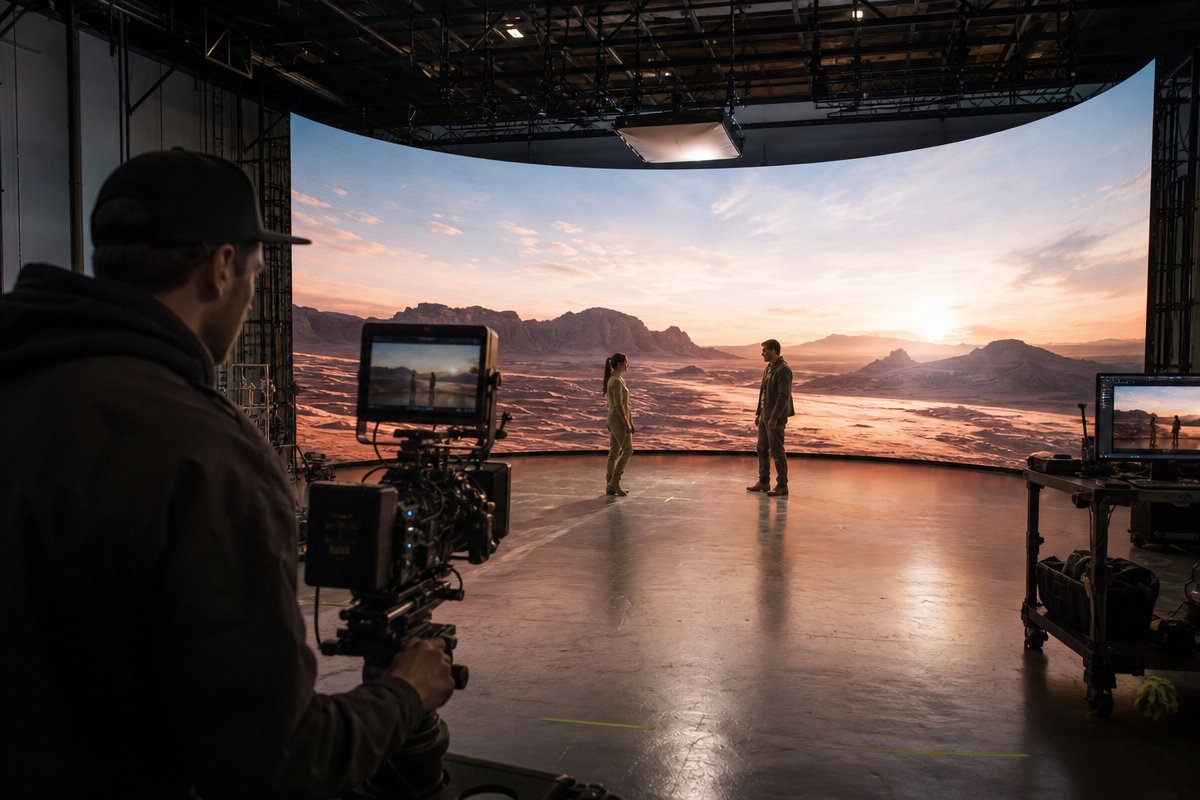
You have seen the behind-the-scenes footage: actors standing in front of massive LED screens displaying photorealistic environments that move in perfect sync with the camera. It looks like magic. But behind every virtual production LED wall is a tightly integrated stack of hardware and software working in real time, frame by frame, to create an illusion so convincing that even seasoned cinematographers do a double take. According to a 2026 report from Grand View Research, the global virtual production market is projected to surpass $4.7 billion by 2030, driven largely by the adoption of LED volume stages across film, broadcast, and corporate video sectors. If you have ever wondered what actually makes this technology tick, this is the deep dive you have been looking for.
At TriVision Studios in Washington DC, we operate an LED volume stage and work with clients ranging from government agencies to Fortune 500 brands. We have spent years refining the technical pipeline that makes virtual production reliable and repeatable. Below, we break down every layer of the system so you understand exactly what happens between pressing record and capturing a final pixel-perfect frame.
The LED Wall Itself: Panel Hardware and Display Science
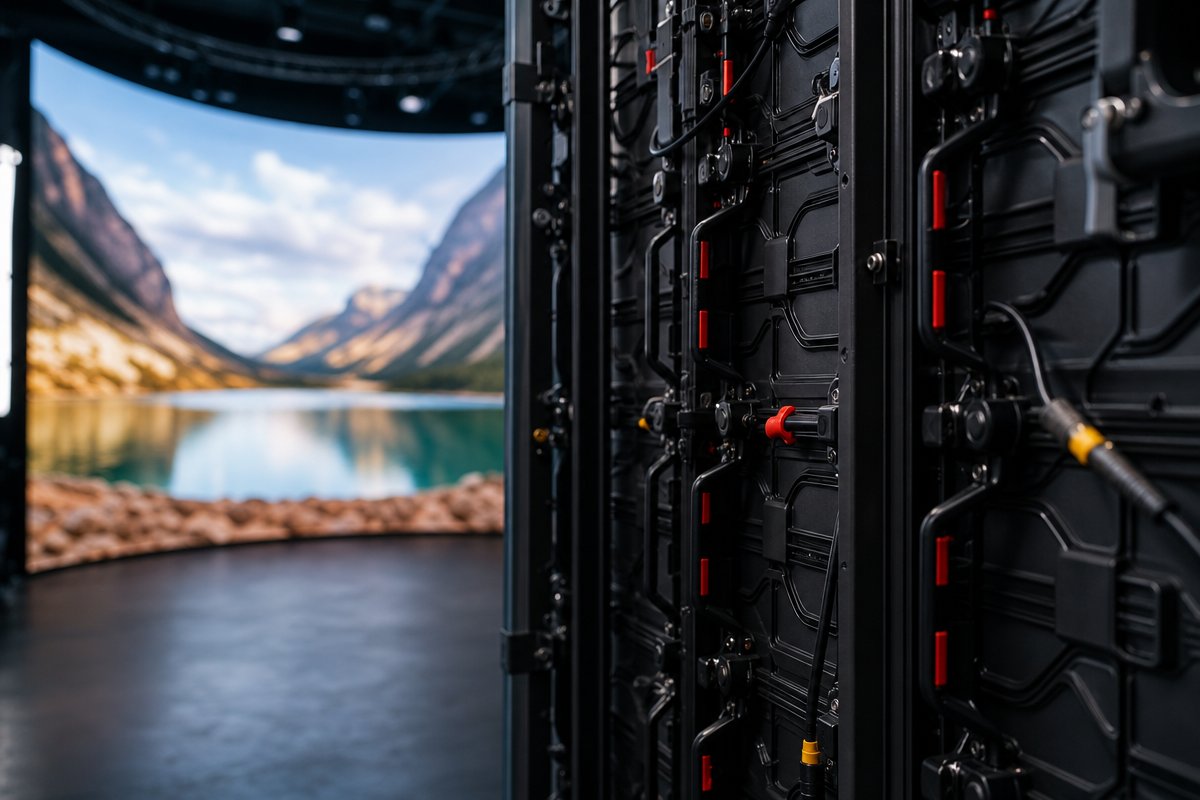
The most visible component of any virtual production stage is the LED wall, but not all LED panels are created equal. Understanding the hardware is the first step to understanding the entire system.
Pixel Pitch and Why It Matters
Pixel pitch refers to the distance in millimeters between the center of one LED pixel and the center of the next. In virtual production, panels typically use a pixel pitch between 1.5mm and 2.8mm. The smaller the pitch, the higher the resolution and the closer the camera can get to the wall without revealing individual pixels. For corporate and commercial shoots, a 2.6mm pitch often strikes the right balance between image quality and budget. For cinematic work where the camera pushes closer to the wall, 1.5mm panels deliver sharper results.
Panel Configuration and the LED Volume
A virtual production LED wall is rarely just a flat wall. Most stages configure panels into a three-sided or curved structure called a volume. This volume wraps around the talent, providing:
- Realistic wrap-around lighting that naturally illuminates actors and props
- Extended peripheral visuals that allow wider camera angles without revealing the edge of the set
- A ceiling panel array (sometimes called an LED soffit) that completes the environmental immersion from above
The panels are mounted on precision rigging systems that allow reconfiguration for different shoot requirements. Each panel connects to the next seamlessly, and calibration software ensures uniform color and brightness across the entire surface.
Refresh Rate, Color Depth, and Camera Compatibility
Consumer LED displays refresh at 60Hz, but virtual production panels need refresh rates of 3,840Hz or higher to avoid banding, flickering, or moiré patterns when viewed through a cinema camera sensor. The panels also need to support wide color gamuts and high bit-depth output to match the dynamic range that modern cameras capture. Without this, the on-screen environment would look artificial on playback even if it appeared fine to the naked eye.
Real-Time Rendering: The Unreal Engine Pipeline
The LED wall is essentially a massive monitor. What makes it transformative is what it displays: a fully rendered 3D environment that responds to the camera in real time. That rendering engine is almost always Unreal Engine by Epic Games.
How Unreal Engine Drives Virtual Environments
Unreal Engine is a real-time 3D rendering platform originally built for video games. Its ability to generate photorealistic imagery at interactive frame rates—typically 24 to 60 frames per second—makes it ideal for virtual production. Here is how the pipeline works:
- Environment creation: 3D artists build or source virtual environments using polygonal models, photogrammetry scans, or megascans libraries. These environments include geometry, textures, lighting, atmospheric effects, and even animated elements like clouds or water.
- Scene loading: The environment is loaded into Unreal Engine on a high-performance rendering server equipped with professional-grade GPUs (typically NVIDIA RTX A6000 or comparable cards).
- Frustum rendering: Rather than rendering the entire environment at maximum quality, the engine prioritizes the section of the wall directly behind the talent from the camera’s perspective. This section, called the frustum, is rendered at the highest resolution and detail. The surrounding panels display a lower-detail version of the environment to provide accurate lighting and peripheral context.
- Output to LED wall: The rendered frames are sent through a media server to the LED panels in real time, synchronized to the camera’s shutter.
nDisplay and Multi-Node Rendering
Unreal Engine uses a system called nDisplay to distribute rendering across multiple machines and map the output onto irregularly shaped LED surfaces. Each section of the LED volume can be driven by a separate render node, all synchronized to produce a unified image. nDisplay handles the geometric correction needed to ensure that the perspective displayed on the curved wall appears accurate from the camera’s specific position and lens.
Camera Tracking: The System That Makes It All Believable
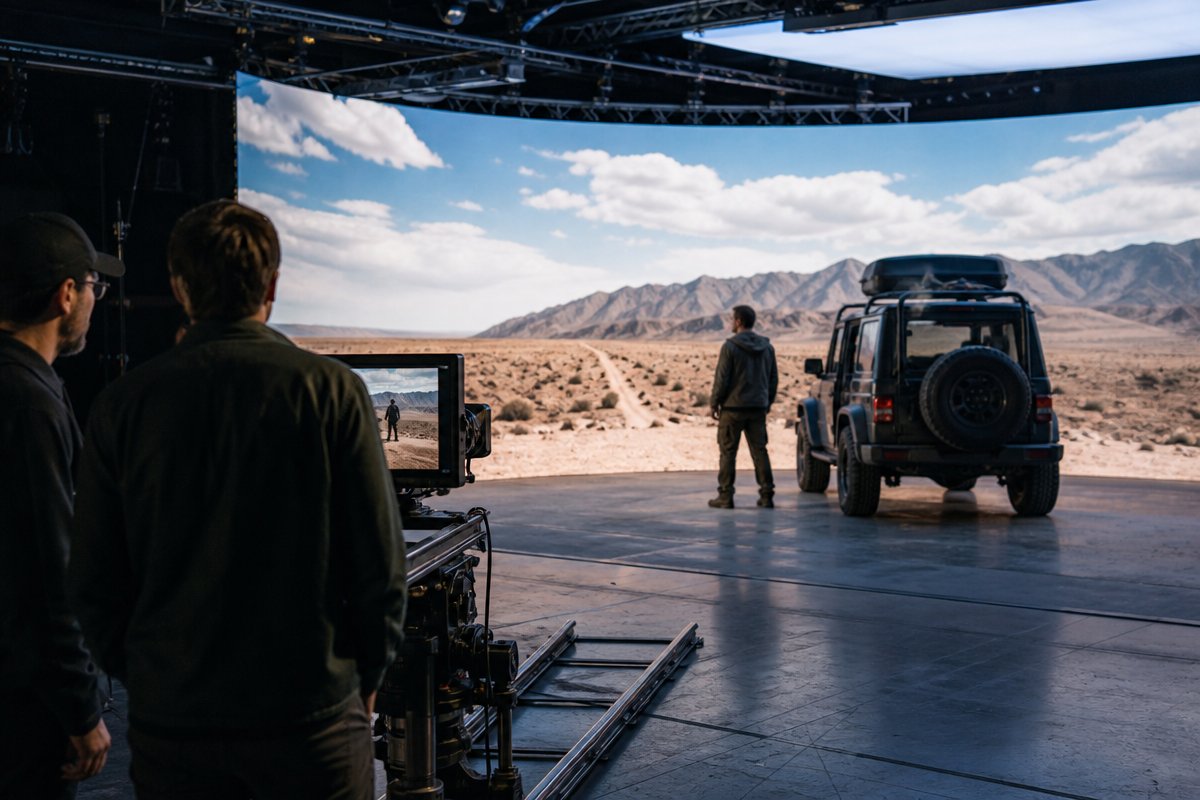
This is the component that separates a virtual production LED wall from a glorified background screen. Camera tracking is what creates the parallax effect—the sense that foreground and background elements move at different speeds as the camera pans, tilts, or dollies—which is the primary visual cue the human brain uses to perceive depth.
How Camera Tracking Works
An array of infrared sensors or optical markers is installed around the stage. These systems track the precise position (X, Y, Z) and rotation (pan, tilt, roll) of the camera in three-dimensional space, typically at sub-millimeter accuracy and with latency under 10 milliseconds. The two most widely used tracking systems in virtual production are:
- Mo-Sys StarTracker: Uses a ceiling-mounted array of reflective stickers and camera-mounted sensors to calculate position via optical triangulation.
- Stype RedSpy: An infrared-based system that provides high-precision tracking data, popular in broadcast and film environments.
The tracking data is fed directly into Unreal Engine in real time. As the physical camera moves, the virtual camera inside Unreal Engine mirrors that movement exactly. The result: the 3D environment on the LED wall shifts perspective naturally, creating convincing parallax and depth.
Lens Encoding and Metadata
Tracking the camera body is only half the equation. The system also needs to know the lens state—focal length, focus distance, and aperture—at every moment. Lens encoders attached to cinema lenses feed this data back to Unreal Engine so the virtual environment adjusts its field of view and depth of field to match. Without lens encoding, the perspective on the LED wall would not align with what the physical lens is seeing, breaking the illusion instantly.
The Media Server: Traffic Control for Pixels
Between Unreal Engine and the LED panels sits a critical piece of infrastructure: the media server. This device receives the rendered frames from Unreal Engine, processes them, and distributes the correct image data to each individual LED panel in the volume.
What the Media Server Actually Does
- Color management: It applies color calibration profiles to ensure the rendered image looks accurate on the specific LED panels being used.
- Genlock synchronization: It locks the refresh of the LED wall to the camera’s shutter timing, preventing rolling artifacts and ensuring each captured frame shows a complete, clean image.
- Content mapping: It maps the rendered output to the physical geometry of the LED volume, accounting for curves, seams, and panel orientation.
- Failover management: Professional media servers provide redundancy so that a single node failure does not bring down the entire wall during a shoot.
Common media server platforms used in virtual production include Brompton Technology’s Tessera processors for LED processing and disguise (d3) media servers for content management and mapping.
Lighting Integration: Why the LED Wall Is Also Your Lighting Rig
One of the most underappreciated aspects of a virtual production LED wall is its role as a dynamic lighting source. The environment displayed on the wall emits real light that wraps around talent, props, and practical set pieces. This creates something that green screen simply cannot: accurate, real-time interactive lighting.
How On-Set Lighting Works With an LED Volume
When the virtual environment shows a sunset, warm orange light actually bathes the actor’s face. When the scene shifts to a cool blue office interior, the lighting changes instantly. This eliminates hours of relighting between setups and gives cinematographers a foundation of natural-looking illumination that matches the background perfectly.
However, experienced virtual production teams still augment the LED wall light with traditional film lighting instruments. The wall provides ambient and fill light, but practical key lights, edge lights, and specialty fixtures are still used to shape the talent and add cinematic depth. The skill lies in blending these sources so the final image looks seamless.
Light Cards and Virtual Lighting Elements
Inside Unreal Engine, lighting artists can place light cards—flat polygons that emit specific colors and intensities—anywhere in the virtual scene. These light cards do not appear in the camera’s frustum view but are displayed on the surrounding LED panels to cast additional shaped light onto the physical set. This gives the gaffer precise control over on-set lighting without adding physical fixtures.
Putting It All Together: The Frame-by-Frame Workflow
To summarize the entire technical chain in a single production moment:
- The camera operator frames a shot of an actor standing inside the LED volume.
- The tracking system reads the camera’s exact position, rotation, and lens state.
- That tracking data is transmitted to Unreal Engine in under 10 milliseconds.
- Unreal Engine renders the 3D environment from the correct virtual camera perspective.
- The rendered frame is sent to the media server.
- The media server maps, color-corrects, and distributes the frame to the LED panels.
- The LED wall displays the environment in sync with the camera’s shutter.
- The camera captures the actor composited against the LED environment in-camera.
This entire loop happens 24 or more times per second without interruption. The result is a final frame that requires minimal post-production compositing because the background was captured live, in-camera, with correct lighting, reflections, and parallax.
Frequently Asked Questions About Virtual Production LED Walls
How much space do you need for a virtual production LED wall stage?
A functional LED volume stage typically requires a minimum footprint of approximately 30 by 30 feet with at least 16 feet of ceiling height. Larger stages allow more camera freedom and wider shots. The stage also needs dedicated space for the rendering servers, media servers, and engineering workstations that drive the system. At TriVision Studios, our stage in the Washington DC area is designed to accommodate a range of production scales.
Can any camera work with an LED wall for virtual production?
Most professional cinema cameras work with LED wall virtual production, but the camera must support genlock input and have a global or fast-readout rolling shutter to avoid artifacts. Cameras from RED, ARRI, Sony Venice, and Blackmagic Design are commonly used. The camera also needs to be compatible with lens encoding hardware for full tracking integration.
What is the difference between an LED wall and a green screen in virtual production?
A green screen requires post-production compositing to replace the green background with a virtual environment, and it cannot provide interactive lighting. A virtual production LED wall displays the final environment on set, capturing the composite in-camera with real-time lighting that matches the scene. This typically reduces post-production time and eliminates common green screen issues like spill, edge artifacts, and inconsistent lighting.
How long does it take to set up a virtual production shoot?
Setup time depends on complexity. A straightforward shoot using pre-built Unreal Engine environments can be stage-ready in one to two days, including calibration and lighting tests. Custom environment builds add additional pre-production time—typically two to six weeks depending on the level of detail required. Once the stage is calibrated, switching between virtual environments can happen in minutes.
Is virtual production LED wall technology only for big-budget films?
Not anymore. While early adoption was driven by major studios, the technology has become accessible for corporate video, commercial production, government training content, and branded content. Studios like TriVision make the technology available to organizations of all sizes by providing the full technical infrastructure as a managed service, eliminating the need for clients to invest in hardware or hire specialized engineers independently.
What software besides Unreal Engine is used in virtual production?
While Unreal Engine is the dominant real-time rendering platform, a full virtual production pipeline also relies on disguise or Brompton for media server management, Mo-Sys or Stype for camera tracking, and tools like Perforce for version control of large 3D assets. Some studios also use Unity for specific use cases, though Unreal Engine remains the industry standard for LED wall virtual production.
Work With a Team That Understands the Technology Inside and Out
Understanding how a virtual production LED wall works is one thing. Operating it at a production-ready level—where every frame is broadcast-quality and every system runs in perfect sync—requires deep technical expertise and hands-on experience.
At TriVision Studios, our Washington DC-based team manages every layer of the virtual production pipeline, from Unreal Engine environment development and camera tracking calibration to LED panel configuration and on-set lighting design. We work with corporate brands, government agencies, nonprofits, and production teams who need reliable, high-quality results without the guesswork.
If you are planning a shoot and want to explore what LED wall virtual production can do for your project, reach out to our team to schedule a stage tour or consultation. We will walk you through the technology, discuss your creative goals, and show you exactly how the system works—not in theory, but on our stage, with cameras rolling.